
Construction management is complex. From beginning to end, you must hire the best construction workers around, manage employees, clearly communicate, keep track of supplies, monitor project milestones, oversee equipment, and watch your bottom line.
And that’s why we discovered some of the most effective apps for construction that can make those activities simpler, offering you the most functionality and reducing your workload. Whether you require workforce management or blueprint storage and sharing, there’s an app for that.
In this article, you’ll find a comprehensive list of tools to help simplify your construction management tasks, whether it’s workforce management or blueprint storage.
Key takeaways:
The proper apps can streamline tasks like employee scheduling, document storage, and report generation—and that makes construction project management more effective.
Certain apps are geared towards specific specialities like safety compliance, blueprint management, or drone data management.
Choosing the proper app is based on the particular requirements of your construction project.
Process streamlining using these apps can greatly boost productivity and efficiency in the construction business.
9 Best Construction Apps for 2025
- When I Work
- iNeoSyte
- LetsBuild
- Smartsheet
- Magicplan
- Safety Meeting App
- Fieldwire
- Procore
- DroneDeploy
Best Mobile Apps for Construction Staff
Whether you require software for your employees to check in and out at work sites, project management capabilities, or a means by which your team can communicate among themselves, these top 9 construction apps will assist you in managing your business as well as your projects more effectively.
1. When I Work
When I Work facilitates easy management of employees and scheduling shifts for multiple locations through the right automation features—such as templates—and an internal messaging and communication system.
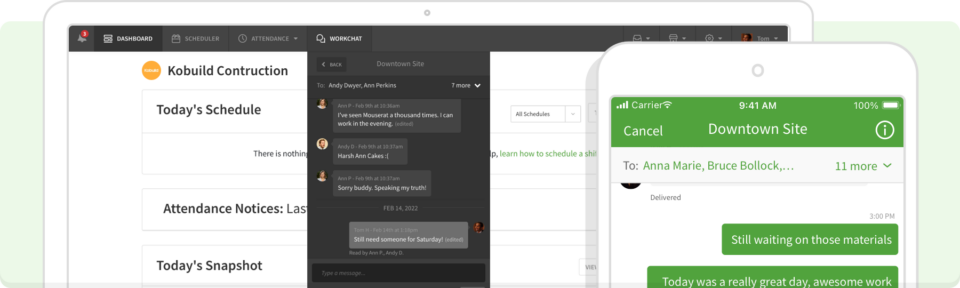
The software has a time clock, time sheets, and team messaging included. When I Work has GPS tracking systems that inform you where your workers are checking in. And you can manage labour expenses with pay rules that sync with your schedule.
Communication with the team is accomplished through the app by a specific, privacy-preserving system that allows you to send messages to the entire team, groups, or individuals.
When I Work can be accessed on the desktop via a browser for all platforms, and mobile apps as well. Managers and workers both have their own version that allows them to access tools in the app that they are entitled to, such as the capability to make any device a time clock. When it comes to managing construction crews, When I Work is an ideal solution.
When I Work has a free trial. Pricing is thereafter based on the number of users, starting at $2.50/user/month.
Sign up for a free 14-day trial! Begin putting your employees to work today by clicking here. Start scheduling your employees today by clicking here.
2. iNeoSyte
Taking notes at a construction site is necessary. It’s also something that can slow you down if you find you have to run back to the office to get it done.
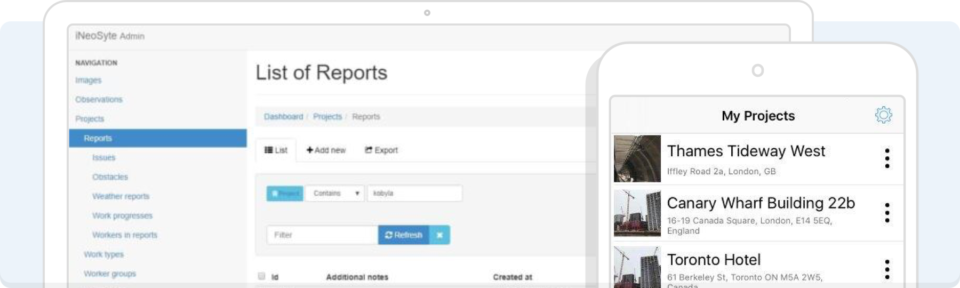
iNeoSyte lets you compose reports in the field, on-site, with or without photos. Pre-formatted reports specific to your project enable you to notify those who need to know what’s occurring on site.
You can generate a project report, save it as a PDF, and send it to popular cloud sites such as Dropbox or Google Drive.
iNeoSyte has a free plan with limited features, and then paid plans based on the number of users. The basic plan is $9.99 per month per user, while the advanced plan is $19.99 per month per user.
3. Let’s Build
Let’s Build is an app that monitors data about project advancement and process and reports it in real time, whether you are in the office or out in the field.
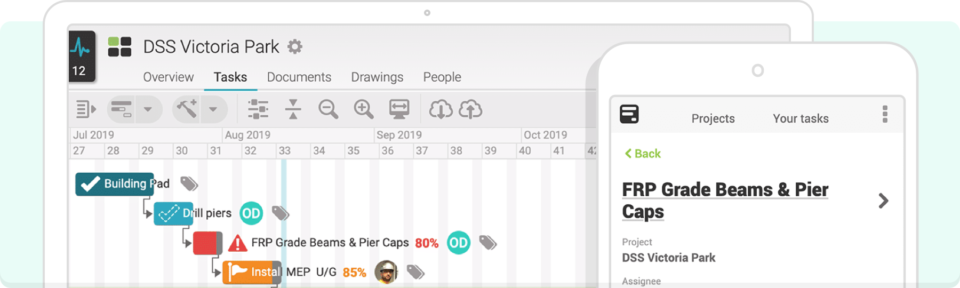
It can monitor QHSE (quality, health, safety, and environment) and even produce progress reports and other documents required.
For construction managers whose days are spent handling repetitive chores, Let’s Build can assist them in monitoring and revising the project plan, enjoying quick access to project information and construction plans on the building site, and remaining compliant with regulations.
Let’s Buildd has a free trial, then yearly subscriptions. You have to get in touch with them to determine the correct package for what you want.
OS and Android, and the basic version is free to download. There are paid extra add-on packs.
4. Smartsheet
Smartsheet is a project management software that assists in providing you with a precise view of your construction project. Although Smartsheet can be applied to a number of industries, it has specific features that enable it to be effective for managing a construction project.
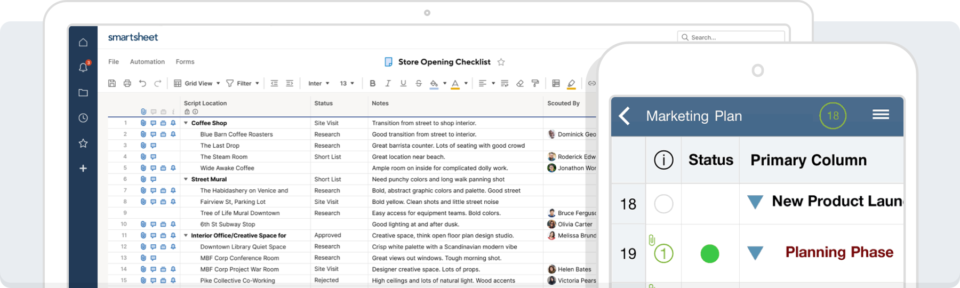
Smartsheet helps you link your on-site and office staff, as well as subcontractors, so everyone is speaking the same language. All pre-construction planning through safety planning, field operations, and resource management is included in one app.
The dashboard lets you monitor every facet of a construction project (delays or cost overruns included) in one place.
Smartsheet is suitable for any-sized construction crew or project. There’s a free trial, and multiple levels of paid plans with varying sets of features starting at $7/user/month to an enterprise option whose pricing must be requested.
Read: The Importance of Data Backup and Recovery: Safeguarding Your Digital Assets
5. Magicplan
Magicplan is your ideal app if you require generating and sharing 2D and 3D floor plans with your team.
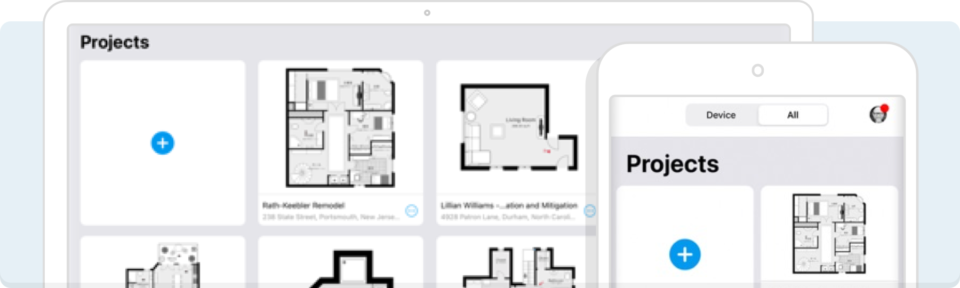
You can also make field reports that contain those sketches, your notes, and even 360° photos. It also has the feature to make and share estimates for labour and materials. That is to say, you can give clients the details they need to decide on closing the deal.
Share a PDF and hold the data in your account for future use in case there are any client disputes.
Client disputes can also be managed more conveniently with all information and parameters saved and categorised, and thus retrievable if necessary.
Magicplan offers a free plan for up to two projects, and subscription plans starting from $9.99/month to $89.99/month, depending on preferences. Lower annual subscriptions are also offered.
6. Safety Meeting App
It can be easy to get out of sync with OSHA, federal and state labour regulations, and company safety protocols. Construction is a hazardous business, so it is easier to keep track of all those issues and have your workers protected on the job with the Safety Meeting App.
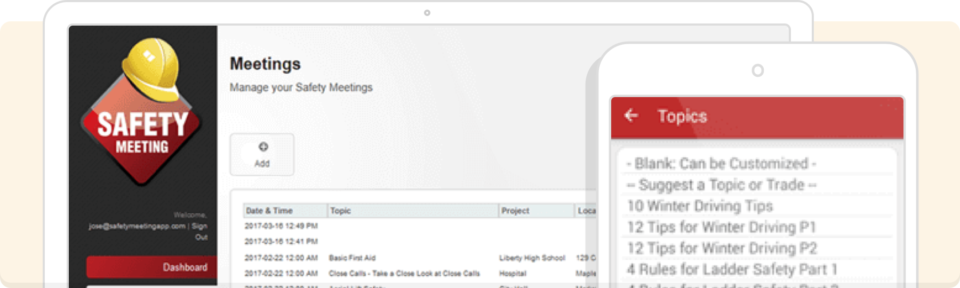
Staff are reminded about hazards to their job through more than 1,000 safety meeting discussion topics that you can present to your employees.
You can also make safety checklists from pre-built lists or your own custom lists. Checklists exist from a bloodborne pathogen checklist to welding and cutting checklists, and anywhere in between. All of our checklists are OSHA compliant.
You can also record safety meetings, attendance, and safety incidents, making reports directly from your smartphone. These reports are stored in the cloud for immediate access when needed and can be accompanied by photos.
This application is bilingual in English and Spanish, accessible on your computer or through your smartphone. The free trial is offered, with annual subscription rates by number of users from $199 to $1169.
7. Fieldwire
Fieldwire is a blueprint-focused project management software. It simplifies sharing and editing drawings both in the office and on the jobsite, via a mobile device. Drawings can be marked up, notes can be included, and photos of the project can be attached or viewed directly on the drawings.
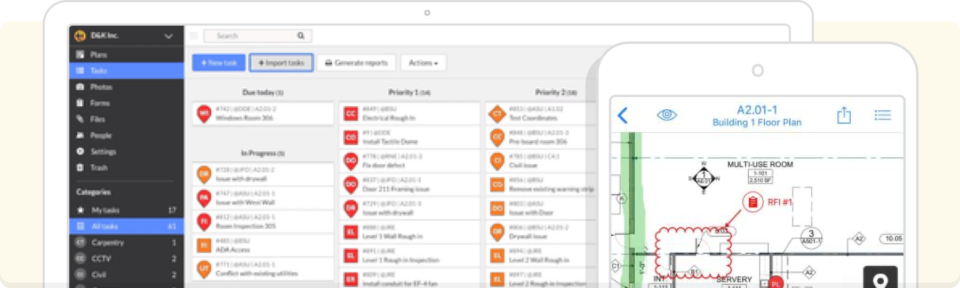
Fieldwire also has task management capabilities, and scheduling the work for the day (and marking up issues that must be addressed) according to the project plan. Create a punch list in a walkthrough to add comments on things that must be repaired so your crew can message and add pictures back to you.
There is a basic plan free with a limit of five users. Plans then range from $29/user/month to $89/user/month, depending on the set of features.
Related read: How to Empower the Deskless Workforce
8. Procore
For bigger contracting businesses or those that deal with large-scale or commercial building, Procore ties the numerous parties together. That involves general contractors, speciality contractors, architects, and engineers. It also facilitates pre-construction planning, project management, workforce management, and financial management.
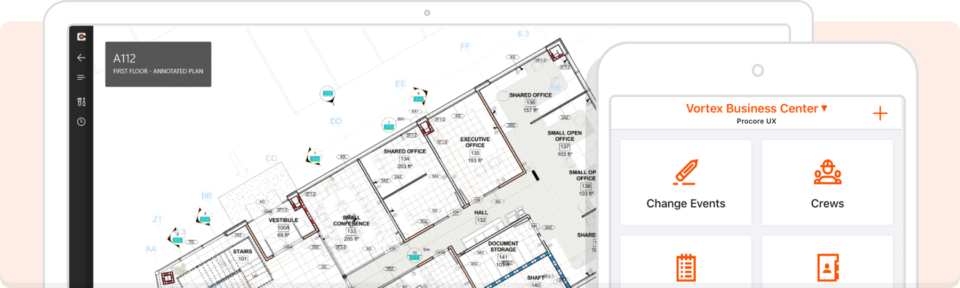
That equates to bids, estimates, quality, safety, BIM, design, and your staff all under one roof and whole complex projects in a single location.
Designed for mobile use on a cloud-based platform, Procore makes you call them up for a custom quotation based on what you require. They provide free training and 24/7 support with their paid agreements.
9. DroneDeploy
Usage of drones is becoming more prevalent (and essential) in most construction projects, and DroneDeploy greatly eases the process of handling that data. It supports popular construction drones and project management software to capture visual information, interior and exterior, and at any height or orientation. You can even process radiometric thermal data to identify hot spots.
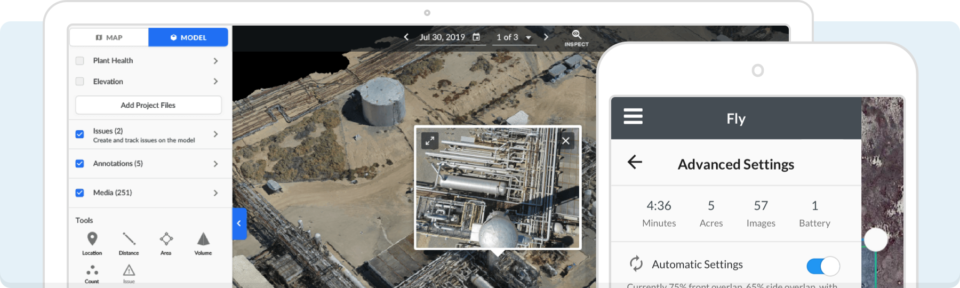
That allows you to build real-time maps on-site to get an interactive perspective. You can also build virtual tours or models, share them on a visual timeline for everyone who is part of the project. Create reports and utilise permissions to determine who has access to them.
For business or team users, you will need to inquire with DroneDeploy for a price. For individuals, there is a free trial, then either $329/month or $599/month, depending on feature sets.
What are the advantages of using construction apps?
Construction apps provide several advantages for contractors and project managers in construction, including:
- Enhanced project management: Apps assist in following up on project progress, tracking tasks, and allocating resources efficiently.
- Improved communication: Apps allow for instant communication and collaboration between team members, subcontractors, and stakeholders.
- Efficient documentation: Apps allow for convenient storage, access, and sharing of project documents, plans, and reports.
- Cost and time savings: Apps automate tasks, eliminate paperwork, and reduce errors, leading to cost and time savings.
- Compliance and safety control: Apps help in complying with safety legislation, having safety meetings, and reporting incidents.
How do I select an appropriate construction app that I need?
It is helpful to begin with team management before diving into project management and construction tools that you will utilise in the field. That is, employee scheduling software is at the top of your list.
To select an appropriate construction app, the following considerations are relevant:
- Specific requirements: Identify what functionalities are critical to your construction projects.
- Compatibility and integration: Make sure the app is compatible with your current systems and software.
- User-friendliness: Choose apps that are user-friendly and simple to utilise for yourself and your workers.
- Scalability: Take into account whether the app is suitable for your project size and future growth.
- Pricing: Consider the price of the app, as well as any subscription plans, within the parameters of your budget and likely return on investment.
Then, choose only the best construction management apps you require to simplify your work. Simplify your workflow and use only the necessary apps to do the job effectively.
Streamline your construction crew scheduling with When I Work
As for construction, you require the top small business apps out there. What that means for you is based on your workers, your projects, and what you truly need.
While searching for the top contractor apps for your crew, see how the When I Work app can streamline your construction crew schedule. Try When I Work out for 14 DAYS FREE. You’ll understand in no time why getting staff scheduling and team management on track is step one, and also one of the simplest.
Conclusion
Building today is no longer about materials and labour—it’s about efficiency, communication, and intelligent management. The appropriate construction apps can convert every day’s challenges, such as crew scheduling, safety compliance, and blueprint sharing, into efficient processes, saving time and dollars.
Just like a reputable construction company in St. Louis would not begin a project with incompetent staff and subpar equipment, you should not run your projects without technology solutions that bring your crew together, make reporting easy, and keep everything on course. These apps don’t merely ease tension—They provide you with control, insight, and assurance throughout the process of construction.
At the end of the day, success in construction means more than finishing the job—it’s about finishing it smarter, safer, and faster. By choosing apps that fit the unique needs of your projects—whether that’s workforce management, safety compliance, or real-time progress tracking—you’re laying the foundation for future growth and client satisfaction.
So, when you are planning your next build, wonder: which construction app will assist in making your management process from complex to seamless? The appropriate choice may be the breakthrough that differentiates your business.
Author’s Bio:
John Smith is a seasoned content author with years of experience writing keen blog posts on construction, project management, and technology integration. Having closely worked with top contractors and a construction company in St louis, he brings real-world knowledge and actionable information to each article.