
Let’s be real for a second. “Network security” doesn’t exactly scream excitement. It sounds technical, maybe a little overwhelming. But really? It’s just about keeping your digital stuff safe from the wrong people. That’s it. And it’s not just for big companies or IT pros. If you use Wi-Fi, send emails, store files online, this affects you.
The good news? It’s not as complicated as it sounds. This guide breaks it down, what network security actually means, why it’s worth caring about, the tools that help, and how to put it all into practice without driving yourself nuts.
What is Network Security?
At its core, network security is exactly what it sounds like: keeping your network, and everything connected to it, protected from threats. It’s about stopping hackers, preventing data leaks, and making sure things run smoothly.
Imagine your network is a building. Network security is everything from locked doors to security cameras to guest check-ins. It’s not perfect, but it’s a whole lot better than leaving the front door wide open.
Read: The Importance of Data Backup and Recovery: Safeguarding Your Digital Assets
Why Network Security is Important
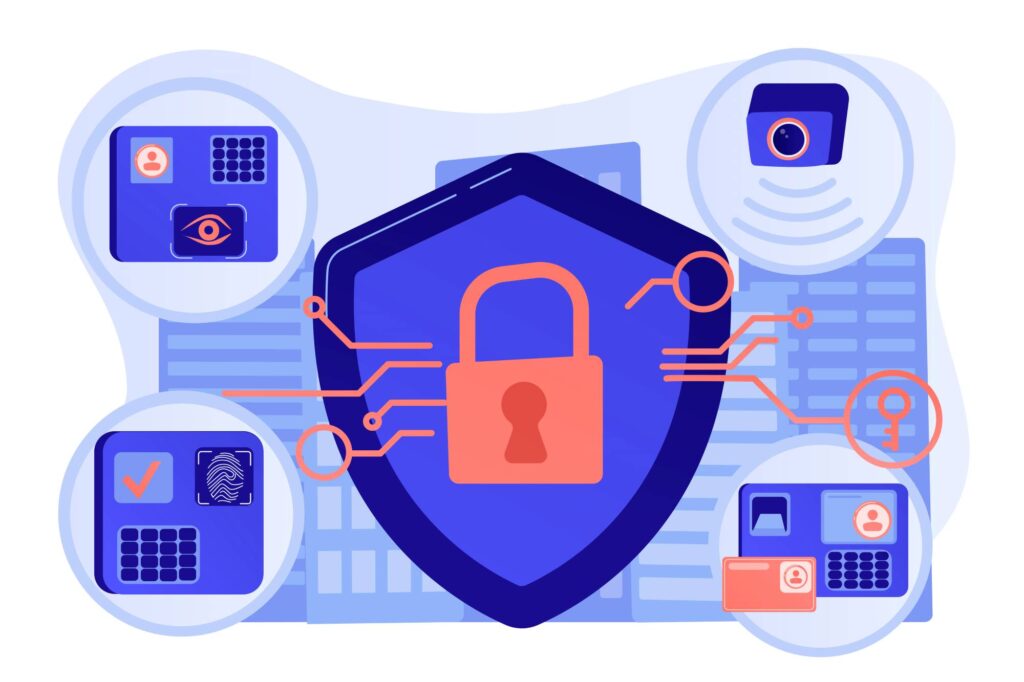
We all store important stuff online, personal photos, customer records, financial data. If someone breaks in, it’s not just inconvenient. It can be expensive, embarrassing, even illegal if you’re handling sensitive data.
For businesses, a breach can mean lost revenue, a damaged reputation, or fines from regulators. For individuals, it might mean identity theft or financial fraud. Either way, recovering from a cyberattack is way harder than preventing one.
And here’s the thing: threats are everywhere. They’re not all dramatic Hollywood-style hacks; sometimes it’s just someone clicking a bad link. The stakes are real, even if the threats aren’t always obvious.
Types of Network Security
So, what kind of tools and tactics make up network security? Here are the key players.
Firewall Protection
A firewall is your basic bouncer, it checks traffic going in and out of your network and blocks anything sketchy. You can have a hardware firewall (like a physical box) or a software one (installed on your computer). Either way, it’s step one in keeping intruders out.
Antivirus and Anti-malware
This is your clean-up crew. Antivirus software scans for bad files, viruses, spyware, ransomware, and tries to stop them before they do damage. Most modern tools do this automatically in the background, which is great, because nobody wants to run scans manually every day.
Intrusion Detection & Prevention Systems (IDPS)
Think of IDPS like motion sensors, they watch your network for suspicious activity and can alert you or even block it in real-time. Sometimes they raise false alarms, sure, but they’re a helpful second line of defense.
Virtual Private Networks (VPNs)
A VPN encrypts your connection, especially useful when you’re on public Wi-Fi. It creates a private tunnel between you and the internet. Slows things down slightly sometimes, but it’s worth it for the added privacy.
Access Control
This is all about who’s allowed to do what. You don’t want interns accessing payroll data or guests poking around your internal systems. Access control tools help assign roles and permissions, and things like two-factor authentication add another layer.
Email Security
Emails are an easy way for attackers to sneak in. Email security tools filter out phishing attempts, scan links and attachments, and help you spot red flags. But honestly? Training your team to pause before clicking is just as important.
Wireless Security
Your Wi-Fi network is a door into your systems. Use strong passwords and encryption (WPA3 if possible), and make sure guests aren’t using the same network as your internal devices. It’s a simple fix that prevents big headaches.
Data Loss Prevention (DLP)
DLP tools stop sensitive data from leaving your network by accident, or on purpose. They can flag or block emails, file transfers, even USB drive use if it looks risky. A little annoying at times, but worth it.
Security Information and Event Management (SIEM)
SIEM systems collect logs and alerts from across your network, analyze them, and help you spot weird patterns. It’s like having a security control room. Might sound like overkill, but it’s incredibly useful, especially for larger teams.
Benefits of Strong Network Security

Why go through all this effort? Because the benefits are real:
- Protects your data – Customer info, financial records, trade secrets… all locked down.
- Keeps you running – Fewer crashes or outages from attacks.
- Builds trust – Clients and partners notice when you take security seriously.
- Helps with compliance – If you’re in healthcare, finance, or e-commerce, it’s often a legal must.
- Saves money – Fixing a breach is way pricier than preventing one.
- Gives peace of mind – You sleep better knowing you’re not flying blind.
Even doing just a few things well can make a big difference.
Best Practices for Network Security
Now, let’s talk real-world advice. Here’s what actually works:
- Update regularly – Software updates patch security holes. Skipping them is asking for trouble.
- Use strong passwords (and 2FA) – And no, “password123” doesn’t count.
- Limit access – Only give users access to what they need. No more, no less.
- Train your team – Most breaches start with a click. Awareness goes a long way.
- Segment your network – Keep critical systems isolated from guest devices or public areas.
- Back up everything – And test your backups. If ransomware hits, you’ll thank yourself.
- Monitor activity – Even basic monitoring can spot unusual behavior before it escalates.
- Have a response plan – If something does go wrong, who does what? Who gets notified?
You don’t need a million-dollar security setup. You just need to care and be consistent.
Common Network Security Challenges

Of course, it’s not all smooth sailing. Here’s what trips people up:
- Old systems – Legacy software can be full of holes, and hard to update.
- Shadow IT – Employees using unapproved apps or tools can open backdoors.
- Budget limits – Smaller teams can’t always afford fancy tools. Prioritize what matters most.
- Too many alerts – Too many tools can lead to alert fatigue. Balance is key.
- Changing threats – What worked last year might not work now. Stay flexible.
It’s okay if things aren’t perfect. The goal is progress, not perfection.
Conclusion
At the end of the day, network security isn’t just an IT problem, it’s a business necessity. It protects your data, your people, your reputation. And it doesn’t have to be overwhelming. Start simple. Build over time. Keep learning. Will it always be perfect? Nope. But the goal is to be ready, responsive, and resilient. Because the only thing worse than getting attacked… is realizing you never did anything to prevent it. So take a step today. Even a small one. You’re already ahead of the curve just by caring.